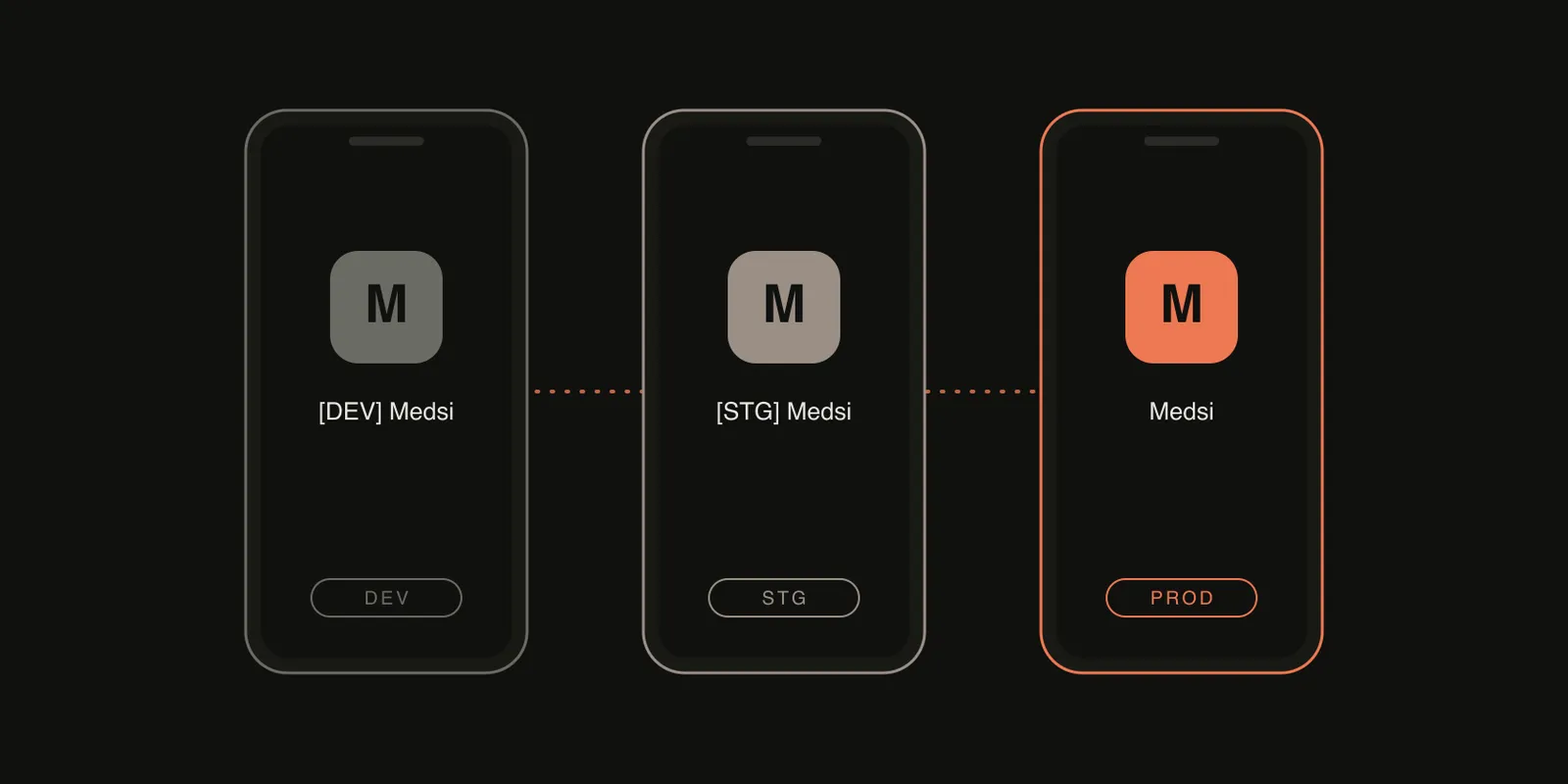
Medsi, the telehealth app I built, runs on three environments: dev, staging and prod. On my phone I wanted all three installed at once, each obviously different, so I never tested a change against production by accident.
That sounds like a small ask. In Flutter it took me longer than most of the features I was testing.
The Expo side of my work was easier. EAS build profiles plus one app config file covered the same job. Flutter does not hand you that, so this is the setup I ended up with.
The problem: your Dart code is not the whole app
My first instinct was to read an environment value in Dart and branch on it. For plain Dart values that is fine. It stops working the moment a library lives on the native side.
Firebase is the clearest example. It does not read your Dart code. On Android it reads google-services.json through the Google Services Gradle plugin. On iOS it reads GoogleService-Info.plist from the app bundle. A .env file or a Dart if never reaches either of them.
I also did not want production keys sitting inside a development build just because a runtime switch was set correctly. If the build can contain prod credentials, one bad switch away from shipping them is too close.
So the job became: make the build decide which environment it is, and let each flavor carry its own native config.
What a flavor needs to change
For Medsi, each flavor changes five things:
- The application ID, so the three apps can coexist on one device.
- The app name on the home screen.
- The launcher icon.
- The Firebase config files, one Firebase project per flavor.
- The Dart entrypoint, which sets the flavor enum.
The names follow one pattern:
| Flavor | App ID | Home screen name |
|---|---|---|
dev |
app.medsi.patient.dev |
[DEV] Medsi |
stag |
app.medsi.patient.stag |
[STG] Medsi |
prod |
app.medsi.patient |
Medsi |
The bracketed prefix looks plain, but it is what stops me opening the wrong one.
Android: product flavors and per-flavor source sets
On Android the heavy lifting is Gradle product flavors. Each one gets an ID suffix and a label placeholder:
flavorDimensions "default"
productFlavors {
    prod {
        dimension "default"
        applicationIdSuffix ""
        manifestPlaceholders = [appName: "Medsi"]
    }
    stag {
        dimension "default"
        applicationIdSuffix ".stag"
        manifestPlaceholders = [appName: "[STG] Medsi"]
    }
    dev {
        dimension "default"
        applicationIdSuffix ".dev"
        manifestPlaceholders = [appName: "[DEV] Medsi"]
    }
}
The manifest then reads android:label="${appName}", so the label follows the flavor.
The part that matters for Firebase is the source set layout. Gradle looks for a flavor’s own directory before falling back to main, so each flavor gets its own google-services.json:
android/app/src/
  dev/google-services.json
  stag/google-services.json
  prod/google-services.json
Icons work the same way. Each flavor directory has its own res folder with its own launcher foreground. No code is involved, which is the point.
iOS: build configurations, schemes and one run script
iOS is where I spent most of the time, because Flutter needs a specific naming convention for flavors to work.
You create a build configuration per flavor and mode, named like Debug-dev, Release-stag and Profile-prod. You then create one Xcode scheme per flavor (dev, stag, prod), each mapped to its own set of configurations. Flutter extracts the flavor from the part of the configuration name after the dash.
Each configuration then sets its own values:
PRODUCT_BUNDLE_IDENTIFIER, for exampleapp.medsi.patient.devASSETCATALOG_COMPILER_APPICON_NAME, for exampleAppIcon-dev, with a separate icon set per flavor in the asset catalogAPP_LABEL_NAME, whichInfo.plistreads as the display name
The Firebase file is the interesting one. I keep one GoogleService-Info.plist per flavor under ios/config/<flavor>/, and a build phase copies the right one into the app bundle. The script derives the flavor from the build configuration name:
if [[ $CONFIGURATION =~ -([^-]*)$ ]]; then
  environment=${BASH_REMATCH[1]}
fi

GOOGLESERVICE_INFO_FILE=${PROJECT_DIR}/config/${environment}/GoogleService-Info.plist

if [ ! -f "$GOOGLESERVICE_INFO_FILE" ]; then
  echo "No GoogleService-Info.plist found for ${environment}."
  exit 1
fi

cp "$GOOGLESERVICE_INFO_FILE" "${BUILT_PRODUCTS_DIR}/${PRODUCT_NAME}.app"
Failing the build when the file is missing is deliberate. A silent fallback to the wrong project is exactly the failure this setup exists to prevent. I use the same pattern for the Crashlytics app ID file.
Dart: one entrypoint per flavor
The Dart side is small. Each flavor has its own entrypoint that sets an enum and calls a shared main:
// lib/medsi.dev.dart
Future<void> main() async {
  flavor = FlavorType.dev;
  await mainCommon(() => const Medsi());
}
medsi.stag.dart and medsi.prod.dart are the same with a different enum value. The shared setup then initialises Firebase with the options generated for that flavor:
switch (flavor) {
  case FlavorType.dev:
    await Firebase.initializeApp(options: dev.DefaultFirebaseOptions.currentPlatform);
  case FlavorType.stag:
    await Firebase.initializeApp(options: stag.DefaultFirebaseOptions.currentPlatform);
  case FlavorType.prod:
    await Firebase.initializeApp(options: prod.DefaultFirebaseOptions.currentPlatform);
}
I generate those options files with the FlutterFire CLI, one run per Firebase project, each with its own bundle ID and package name:
flutterfire config \
  --project=<dev-project> \
  --platforms="android,ios" \
  --out=lib/app/options/firebase_options_dev.dart \
  --ios-bundle-id=app.medsi.patient.dev \
  --android-package-name=app.medsi.patient.dev
To be honest about the boundary: a few non-native values, such as third-party publishable keys and base URLs, are still chosen from the flavor enum in Dart. That is fine for values that Dart code reads. The rule I follow is simpler: anything a native SDK reads has to come from the build, and anything Dart reads can come from the enum.
Running and building
With the entrypoints and flavors in place, running one is a single command:
flutter run --flavor dev  --target lib/medsi.dev.dart
flutter run --flavor stag --target lib/medsi.stag.dart
flutter run --flavor prod --target lib/medsi.prod.dart
I also keep a VS Code launch configuration for each, so picking an environment is a dropdown. The same --flavor and --target pair works for release builds and for OTA patching with Shorebird.
Gotchas I hit
- The flavor name must match everywhere. The Gradle flavor, the Xcode scheme, the configuration suffix and the directory name under
config/all have to agree. A typo gives you a confusing “scheme not found” or a missing plist. - Each flavor needs its own Firebase app. Registering the
.devand.stagIDs in Firebase is what lets all three coexist with separate analytics and crash reports. - Icons need two systems. Android uses per-flavor resource folders. iOS uses a separate app icon set per flavor in the asset catalog. I generate both from a per-flavor icon config with
flutter_launcher_icons. - Clean after changing flavors. When Pods or the Gradle cache get confused,
flutter cleanplus a Pods reinstall fixes more than it should.
Was it worth it
Yes. The first time I opened my phone and saw three clearly different Medsi apps, each pointing at its own backend and Firebase project, I stopped worrying about testing against the wrong environment.
The principle is the one I keep coming back to: if a wrong-environment build can ship, it eventually will. Make the build decide, not the code.
If you want a second opinion on the same topic, these walkthroughs cover similar ground from different angles:
- Adding flavors to your Flutter app
- Mastering Flutter flavors
- Build flavors in Flutter with different Firebase projects per flavor
For the product context behind this app, read Building a telehealth startup: 5 engineering lessons from Medsi.